
Increasing User Adoption of Reports: A 13-Point Framework
February, 2026
Why Reports Exist- but Still Don’t Get Used
Almost every organization today has dashboards.
They are visually impressive, built on modern BI tools, refreshed daily, and backed by strong data engineering efforts. Yet, when it comes to actual decision-making, many leaders still ask for Excel sheets, screenshots, or manual summaries.
This is not because analytics platforms don’t work. It’s because people don’t connect with the reports built for them.
Low user adoption of reports is one of the most common and most expensive challenges in Business Intelligence initiatives. When reports are not trusted, not understood, or not aligned with daily work, they slowly fade into the background.
From our experience working with BI and analytics teams, one insight stands out clearly: report adoption improves when reports feel intuitive, relevant, and genuinely helpful to users.
This blog introduces a 13-point framework to increase user adoption of reports, designed around real user behaviour and not just technical best practices. The goal is simple: move reporting from “nice to have dashboards” to “tools people rely on every day.”
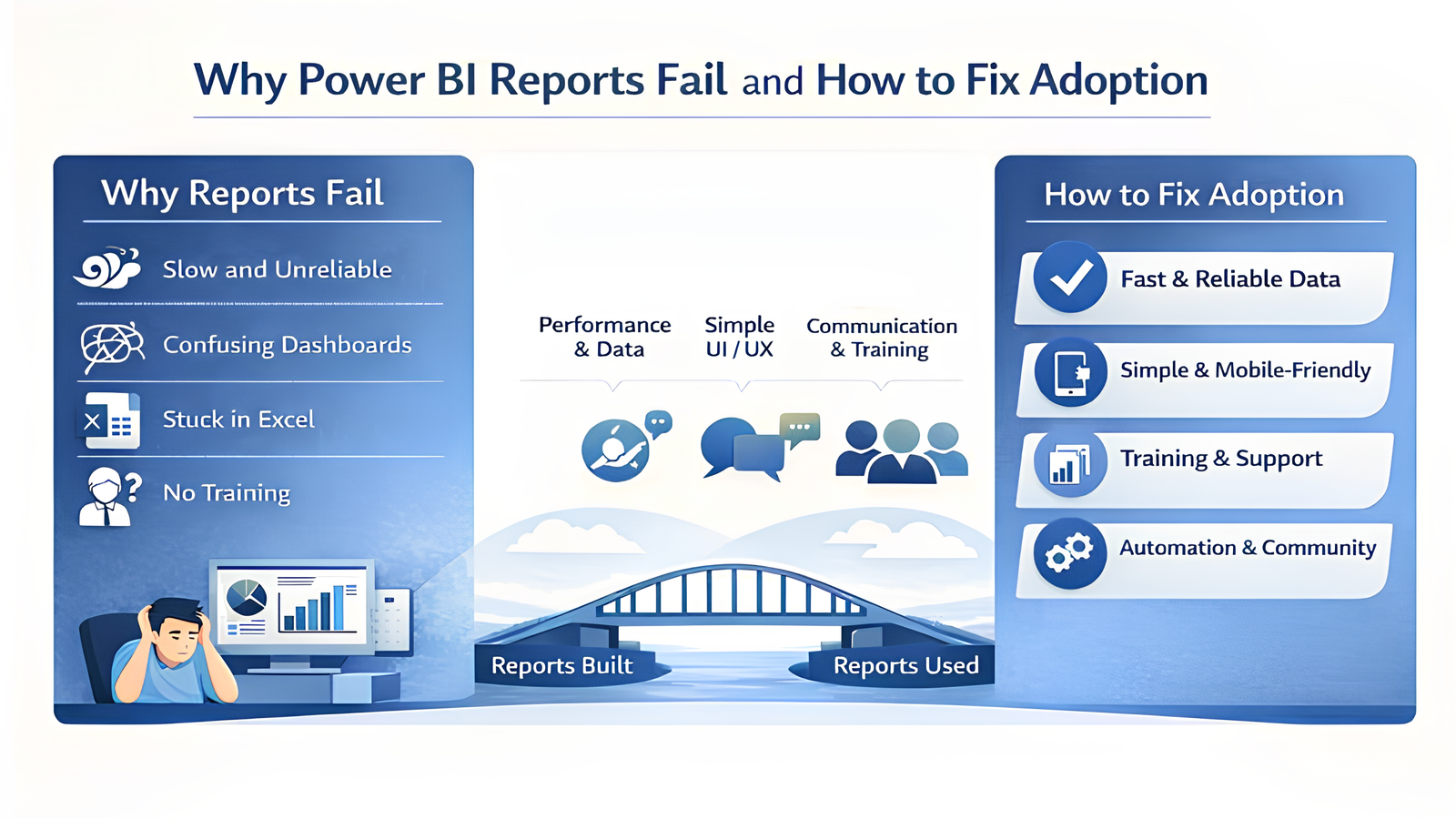
1. Non-functional Requirements
- High Performance: Ensure fast loading times of reports to maintain user engagement.
- Data Integrity: Build user trust by ensuring 100% data completeness and correctness.
2. Optimized UI / UX
- Visualization Standards:: Adhere to data visualization best practices.
- Clutter-Free Design:: Keep reports and dashboards simple; avoid overcrowding with excessive content.
- Consistency: Maintain a uniform UI/UX across all reporting assets.
- Advanced Navigation: Provide drill-down, drill-through, and 360-degree views for deeper insights.
- Mobile Optimization:Develop mobile-friendly and specifically redesigned dashboards for on-the-go access.
- Distribution: Utilize Power BI Apps (not Power Apps) for streamlined content delivery.
3. Delivery Process
- Requirement Prioritization: Identify and focus on high-priority user needs.
- Agile Turnaround: Minimize delivery times for changes; lengthy wait times lead to a loss of interest and momentum.
4. Internal Marketing
- Official Launch: Formally announce the Data Lake and Analytics program at the project’s inception.
- Multichannel Communication: Leverage platforms such as Microsoft Teams, email, internal newsletters, and town halls for announcements.
- Advocacy: Drive adoption through "word-of-mouth" promotion by internal Power Users.
5. Involvement of Stake Holders and IT teams
- Executive Mandate: Secure buy-in from top management. Leaders should conduct reviews using live reports instead of static Excel files.
- Early Engagement: Involve end-users from the start to foster a sense of ownership.
- Educational Workshops: Conduct official user training sessions.
- Self-Service BI: Encourage self-service capabilities to empower users—this is the most significant win for adoption.
- Excel Integration: Provide the ability to download reports in Excel.
- Champion Identification: Identify "Power Users" within the organization to act as peer mentors.
- IT Partnership: Ensure the IT team plays a central role in supporting the above initiatives.
6. Usage Tracking
- Monitor consumption patterns using the Power BI Usage Report to identify gaps in adoption.
7. Feature Rich Delivery
- Interactive Features: Utilize embedded tooltips, drilldowns, and drill-throughs.
- Live Integration: Use PowerPoint Live embedding for interactive presentations.
- Omnichannel Access: Deliver reports via Teams, email, and mobile devices.
- Proactive Alerts:Implement data-driven notifications and alerts.
8. Automate wherever possible (Eliminate Manual Process)
- Automated Refresh: Ensure data is updated automatically to prevent manual errors.
- Seamless Distribution: Automate report delivery via email or Teams.
- Workflow Integration: Use Power Automate and Power Apps where necessary to streamline processes.
9. Production Stability
- Quality Assurance: Regularly validate data correctness and completeness.
- Performance Monitoring: Continuously monitor the performance of dashboards and the Power BI environment
- Proactive Communication: If a failure occurs, inform users immediately before they report the issue.
10. Building a Data Community
- Platform: Use a platform such as Teams Channel or SharePoint where updates and queries can be asked. Call this your data community.
- Knowledge Hub: Create an internal repository for documentation and best practices.
- Continuous Learning: Host ongoing workshops for hands-on trainings, trainings on best-practices and reference to the Knowledge Hub.
- Peer Sharing: Provide users a stage to present their work and approaches which inspires peers to also contribute.
- Newsletters: Sharing Weekly Updates in the community in form of newsletters, or announcements.
11. Support & Enhancements (Using Internal/External teams)
- Iterative Improvement: Continually enhance existing reports and dashboards based on feedback.
- Timely Support: Provide rapid response times for business users' technical or data queries.
12. Real-time Content
- For limited and specific qualified reports, provide Real-Time Live Integration
13. Excel and Tabular Reports
- Acknowledge that many users still require Excel or tabular formats. Allow them to remain in these formats initially to ease the transition. Use Power BI Report Builder and introduce, for this set of users, the advanced dashboards and insights as a secondary phase once they are comfortable using Power BI Report Builder or Tabular layouts in Power BI Service.
Final Thoughts: Adoption Happens When Reports Feel Human
Organizations don’t struggle with data availability, they struggle with data usability.
People adopt reports when those reports respect their time, answer their questions, and support their decisions without friction. Technology enables analytics, but human-centered design enables adoption.
By applying this 13-point framework consistently, organizations can turn reporting into a trusted companion for decision-making, not just another system to log into.
For more information on how Credenca can empower your business with innovative data solutions, contact us:
sales@credenca.com
+91 721 982 7400 | +1 6306569676